Develop your RAW photos.
Free, forever, on any platform.
PhotoFlare Lens opens RAW files from 700+ cameras, gives you a full non-destructive develop pipeline, and saves your edits to XMP sidecars - without ever touching the original file.
Free. Permanently. No account required.
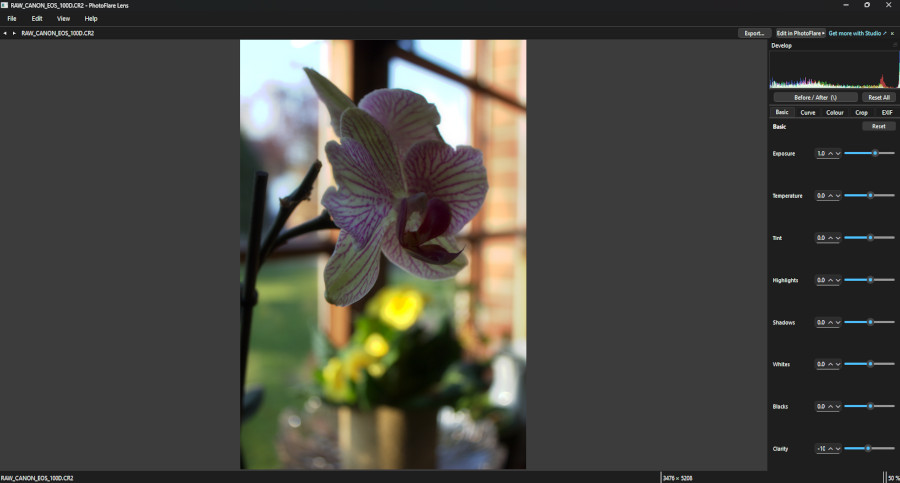
A complete develop workflow, right in your editor.
Everything you need to cull, review, and develop RAW photos - without launching a full image editor.
RAW Decoding via LibRaw
Supports 700+ camera models from Canon, Nikon, Sony, Fujifilm, Panasonic, and more. 16-bit pipeline throughout for maximum quality.
Non-Destructive Develop
Exposure, white balance, highlights, shadows, whites, blacks, and clarity - all parametric. Your RAW file is never modified.
Tone Curve Editor
Interactive RGB master curve plus individual R, G, B channel curves. Click and drag control points for precise tonal control.
Colour Grading
Per-range hue, saturation, and luminance controls for shadows, midtones, and highlights. Fine-tune the mood of any image.
Crop & Straighten
Parametric crop with aspect-ratio presets. Horizon straighten with auto-fill crop. Auto-straighten from image content.
XMP Sidecars
Develop settings save to industry-standard .xmp sidecar files. Interoperable with Lightroom and darktable for common fields.
Live Histogram
RGB overlay histogram updates in real time as you move sliders. Spot blown highlights and crushed shadows at a glance.
EXIF Panel
Camera, lens, shutter, aperture, ISO, focal length, date, and GPS - all surfaced from the file with no cloud lookup required.
Export to JPEG, PNG, TIFF
Render your developed image to any standard format with quality and resize controls. 16-bit TIFF export for maximum fidelity.
Keyboard-First Navigation
Arrow keys to move between images in a folder. Before/after toggle with \. Zoom and pan without leaving the keyboard.
Standard Formats Too
Opens JPEG, PNG, TIFF, WebP, and BMP in addition to RAW. One app for your whole photo library.
Cross-Platform
Native builds for Windows, macOS, and Linux. Dark UI by default. Built on Qt 6 - fast and lightweight.
See it in action
Lens from the develop panel to the EXIF readout.
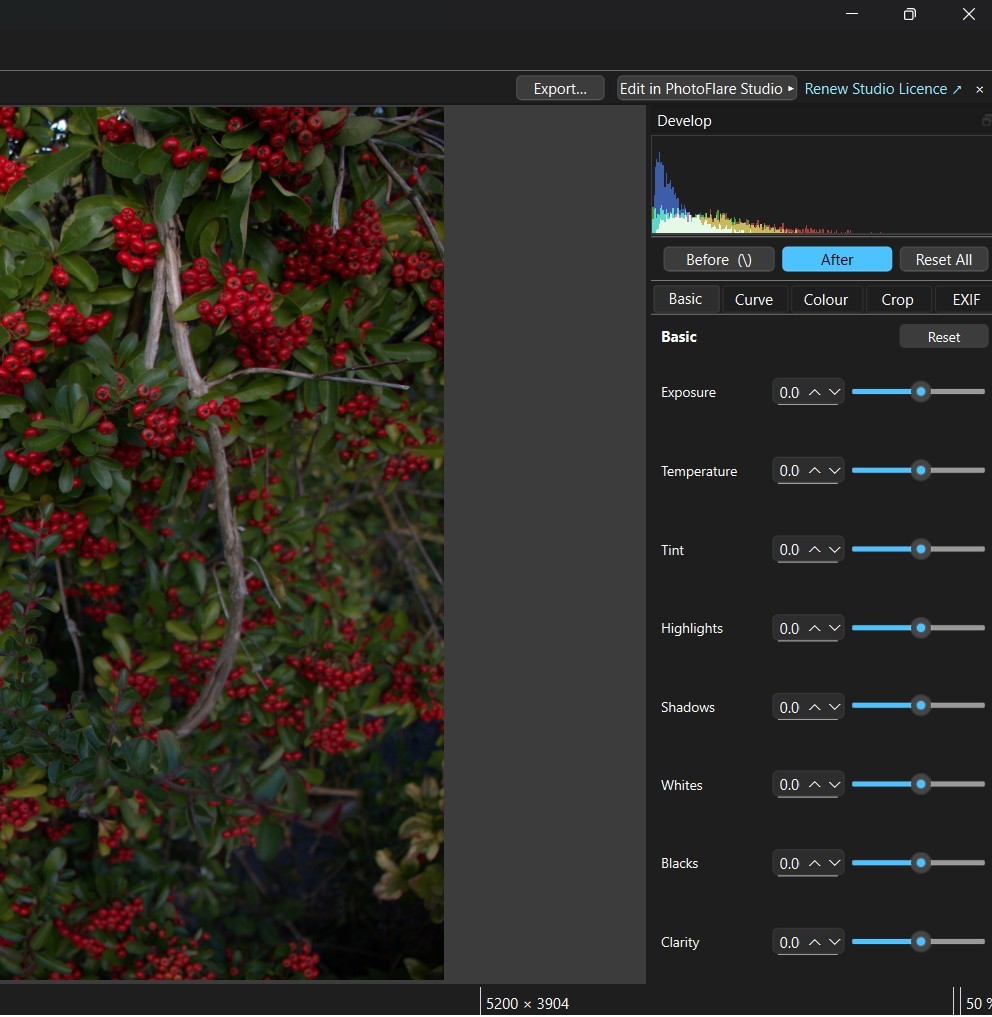
Develop panel - histogram, basic controls, and tone curve
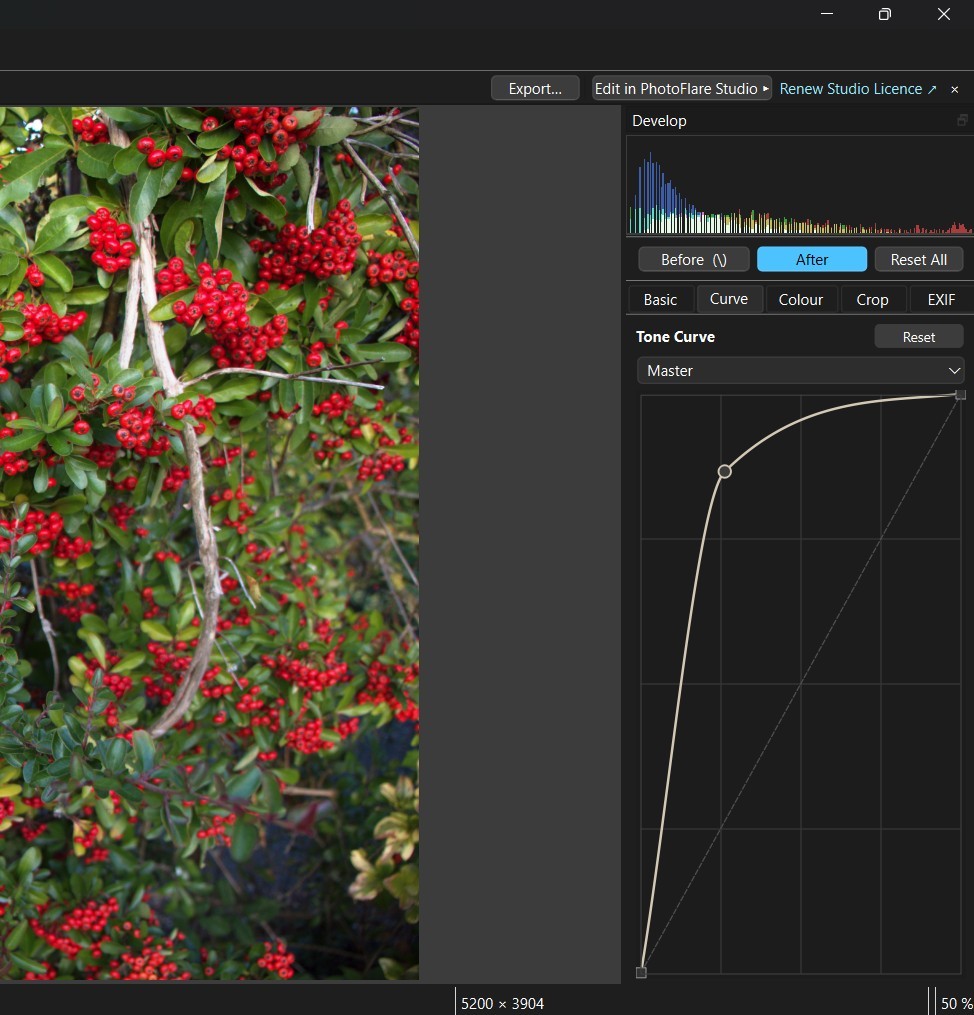
Before / after toggle (backslash key) - compare your edits at any time
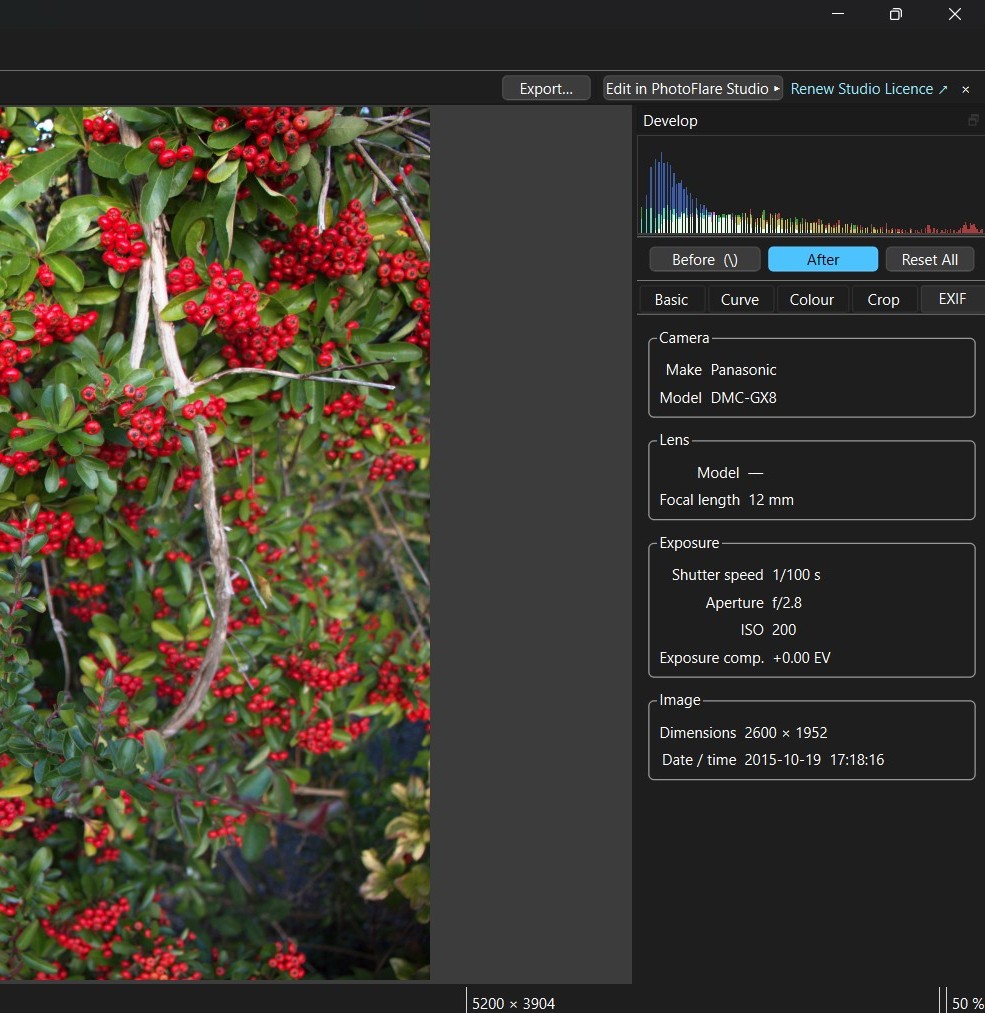
EXIF panel - camera, lens, exposure triangle, and GPS
New to PhotoFlare Lens? Start with the docs.
Step-by-step guides for the develop pipeline, tone curve, XMP sidecars, and getting your first RAW file processed.
Works with the camera you already own
Powered by LibRaw - the industry-standard RAW decoding library used by darktable, RawTherapee, and digiKam.
Lens vs darktable vs RawTherapee
Lens doesn't try to replace darktable. It just needs to be dramatically easier to get started with.
| Feature | PhotoFlare Lens Free |
darktable Free |
RawTherapee Free |
|---|---|---|---|
| Getting started | |||
| Time to open first RAW file | ✓ Seconds | Minutes (database import) | Seconds |
| No library / import required | ✓ | - | ✓ |
| Clean, minimal UI | ✓ | Complex | Complex |
| Develop pipeline | |||
| Exposure, highlights, shadows, whites, blacks | ✓ | ✓ | ✓ |
| White balance (temp / tint) | ✓ | ✓ | ✓ |
| Tone curve editor | ✓ | ✓ | ✓ |
| Colour grading (shadows / midtones / highlights) | ✓ | ✓ | ✓ |
| Crop & straighten | ✓ | ✓ | ✓ |
| Workflow | |||
| XMP sidecar (Lightroom-compatible fields) | ✓ | ✓ | - Own format |
| Prev / next in folder (arrow keys) | ✓ | Via filmstrip | Via filmstrip |
| Before / after toggle | ✓ | ✓ | ✓ |
| "Edit in Studio" one-click handoff | ✓ | - | - |
| Platform | |||
| Windows, macOS, Linux | ✓ | ✓ | ✓ |
Need layers, brushes, and full pixel editing?
Lens includes a one-click Edit in Studio button. When you're ready for more - compositing, retouching, painting - Studio opens your developed image instantly, no export step needed.
Frequently asked questions
Is Lens really free forever?
Yes. PhotoFlare Lens is free and will remain free. No trial period, no account required. It's our gift to photographers who just need a great editor.
Will my RAW file ever be modified?
Never. All develop settings are stored in an XMP sidecar file alongside your RAW. The original is never touched.
Are sidecars compatible with Lightroom?
For standard fields (exposure, white balance, crop, tone curve) - yes. Lens writes the Camera Raw XMP schema so those values round-trip correctly. PhotoFlare-specific settings (colour grading, auto-straighten angle) use a vendor namespace and are ignored by other apps.
What RAW formats are supported?
Lens uses LibRaw, which covers 700+ camera models including Canon CR2/CR3, Nikon NEF, Sony ARW, Fujifilm RAF, Panasonic RW2, and Adobe DNG. If LibRaw supports it, Lens does too.
Does it work without Studio installed?
Yes. Lens is fully standalone. If Studio is installed, Edit in Studio opens your image there for layer-based editing. If not, it falls back to Edit in PhotoFlare (the free, open-source edition).
Is Lens open source?
No. Lens is free to use but closed source. PhotoFlare (the pixel editor) is open source - you can find that on the Downloads page.
What's new
- Initial release
- LibRaw decoding - 700+ camera models, 16-bit pipeline
- Full non-destructive develop pipeline (8 stages)
- Interactive tone curve editor with per-channel R/G/B curves
- Colour grading - shadows, midtones, highlights HSL
- Parametric crop and horizon straighten with auto-fill
- XMP sidecar read/write with Lightroom-compatible CRS fields
- EXIF panel - camera, lens, exposure triangle, GPS
- Export to JPEG, PNG, TIFF with resize controls
- "Edit in Studio" and "Edit in PhotoFlare" one-click handoff
- Windows, macOS, Linux